
In modern network design, Layer 2 redundancy is non-negotiable for ensuring business continuity, minimizing downtime, and avoiding broadcast storms caused by network loops. When it comes to implementing Layer 2 redundancy, three technologies dominate the landscape: Spanning Tree Protocol (STP), Multi-Chassis Link Aggregation Group (MLAG), and Switch Stacking. But how do you choose the right one for your network? This guide breaks down each technology, compares their pros and cons, and provides actionable insights to help you make an informed decision—tailored for network engineers, IT administrators, and anyone tasked with building a reliable, scalable Layer 2 infrastructure.
Understanding the Basics: What Is Layer 2 Redundancy?
Layer 2 redundancy refers to the practice of designing network topologies with duplicate links, switches, or paths to ensure that if one component fails, traffic automatically reroutes to a backup. This eliminates single points of failure (SPOFs) and keeps critical applications running—whether you’re managing a small office network, a large enterprise campus, or a high-performance data center. The three primary solutions—STP, MLAG, and Stacking—each approach redundancy differently, with unique tradeoffs in reliability, bandwidth utilization, management complexity, and cost.
1. Spanning Tree Protocol (STP): The Traditional Redundancy Workhorse
How STP Works?
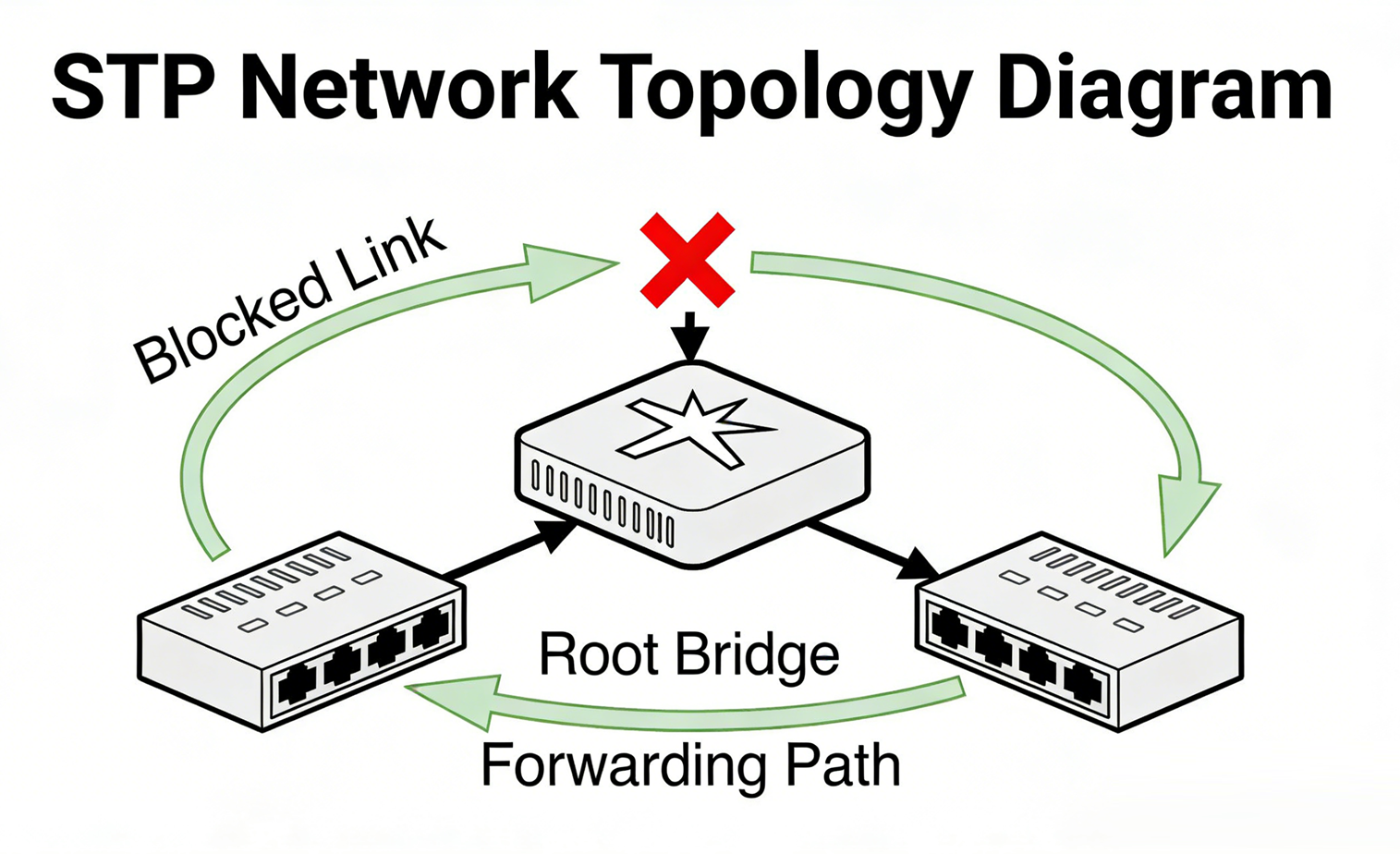
Invented in 1985 by Radia Perlman, STP (IEEE 802.1D) is the oldest and most widely supported Layer 2 redundancy technology. Its core purpose is to prevent network loops by dynamically identifying and blocking redundant links, creating a single logical “tree” topology. STP uses Bridge Protocol Data Units (BPDUs) to elect a root bridge (the switch with the lowest Bridge ID), calculate the shortest path to the root, and block non-essential links to eliminate loops.
Over time, STP has evolved to address its original limitations: RSTP (Rapid STP, IEEE 802.1w) reduces convergence time from 30-50 seconds to 1-6 seconds by simplifying port states and introducing Proposal/Agreement (P/A) handshakes. MSTP (Multiple Spanning Tree Protocol, IEEE 802.1s) adds support for multiple VLANs, allowing different VLAN groups to use different forwarding paths and enabling VLAN-level load balancing—solving the “all VLANs share one path” flaw of classic STP.
Pros of STP
- Widely compatible: Supported by all modern TAP switches, regardless of vendor (Mylinking).
- Low cost: No additional hardware or licensing required—enabled by default on most switches.
- Simple to implement: Basic configuration is minimal, making it ideal for small to medium-sized networks (SMBs) with limited IT resources.
- Proven reliability: A mature technology with decades of real-world deployment, serving as a “safety net” for loop prevention.
Cons of STP
- Bandwidth waste: Redundant links are blocked (at least 50% in dual-uplink scenarios), so you’re not utilizing all available bandwidth.
- Slow convergence (classic STP): Traditional STP can take 30-50 seconds to recover from a link failure—critical for applications like financial transactions or video conferencing.
- Limited load balancing: Classic STP only supports a single active path; MSTP improves this but adds configuration complexity.
- Network diameter: STP is limited to 7 hops, which can restrict large network designs.
Best Use Cases for STP
STP (or RSTP/MSTP) is ideal for:
- Small to medium-sized businesses (SMBs) with basic redundancy needs and limited IT budgets.
- Legacy networks where upgrading to MLAG or Stacking is not feasible.
- As a “last line of defense” to prevent loops in networks already using MLAG or Stacking.
- Networks with mixed-vendor hardware, where compatibility is a top priority.
2. Switch Stacking: Simplified Management with Logical Virtualization
How Switch Stacking Works?
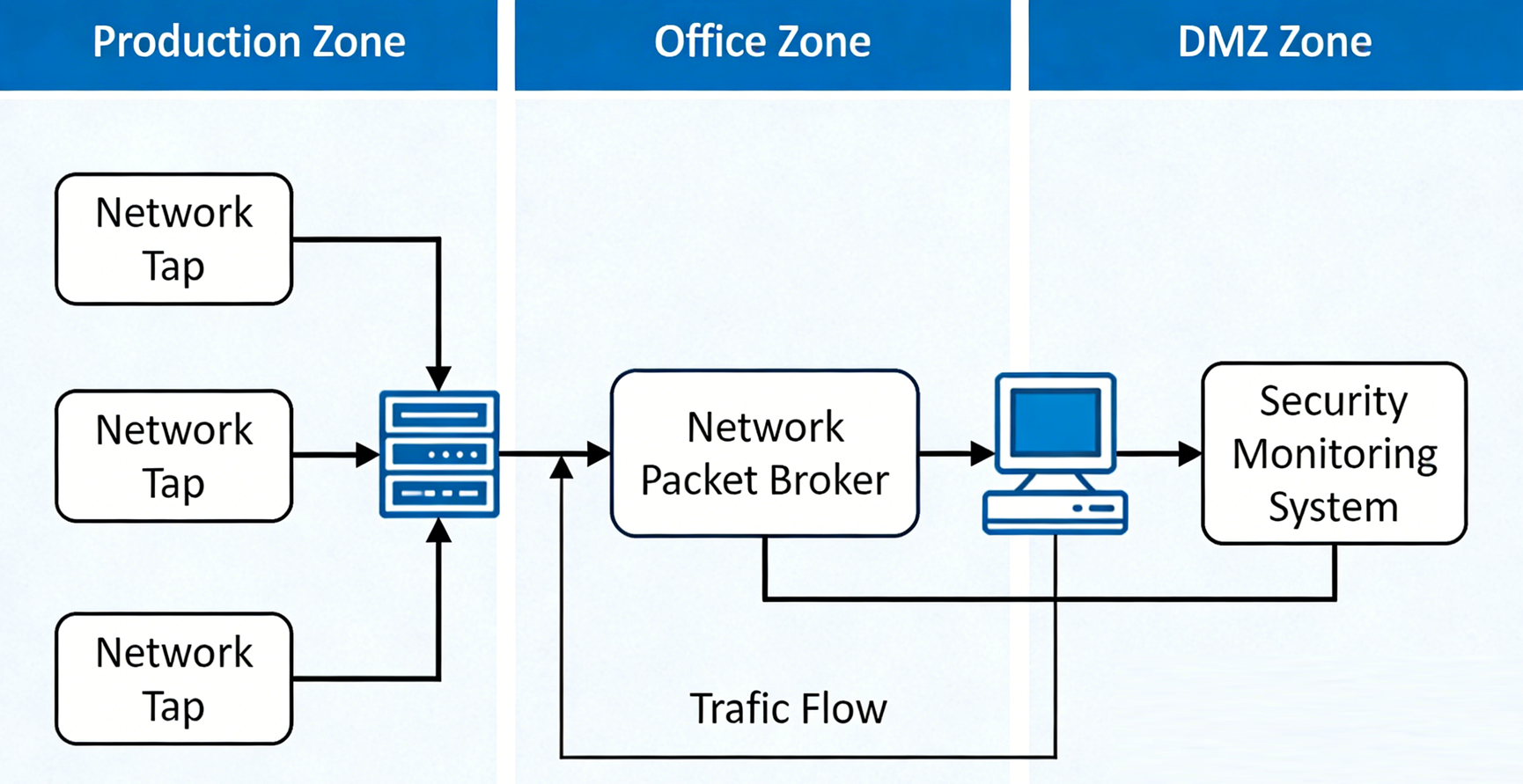
Switch Stacking (e.g., Mylinking TAP Switch) connects 2-8 (or more) identical switches using dedicated stacking ports and cables, creating a single logical switch. This virtualized switch shares a single management IP, configuration file, control plane, MAC address table, and STP instance. A master switch is elected (based on priority and MAC address) to manage the stack, with backup switches ready to take over if the master fails. Traffic is forwarded across the stack via a high-speed backplane, and cross-member Link Aggregation Groups (LAGs) operate in active-active mode without STP blocking.
Pros of Switch Stacking
- Simplified management: Manage multiple physical switches as one logical device—one IP, one configuration, and one point of monitoring.
- High bandwidth utilization: Redundant links are active (no blocking), and stack backplanes provide aggregated bandwidth.
- Fast failover: Master-backup switch failover takes 1-3 milliseconds, ensuring near-zero downtime.
- Scalability: Add switches to the stack “pay-as-you-grow” without reconfiguring the entire network—ideal for expanding access layers.
- Seamless LACP integration: Servers with dual NICs can connect to the stack via LACP, eliminating the need for STP.
Cons of Switch Stacking
- Single control plane risk: If the master switch fails (or all stacking cables break), the entire stack may restart or split—causing a full network outage.
- Distance limitation: Stacking cables are typically 1-3 meters (up to 10 meters max), making it impossible to stack switches across cabinets or floors.
- Hardware lock-in: Switches must be the same model, vendor, and firmware version—mixed stacking is risky or unsupported.
- Painful upgrades: Most stacks require a full restart for firmware updates (even with ISSU, the risk of downtime is higher).
- Limited scalability: Stack sizes are capped (usually 8-10 switches), and performance degrades beyond that limit.
Best Use Cases for Switch Stacking
Switch Stacking is perfect for:
- Access layers in enterprise campuses or data centers, where port density and simplified management are priorities.
- Networks with switches in the same rack or closet (no distance constraints).
- SMBs or mid-sized enterprises that want high redundancy without the complexity of MLAG.
- Environments where IT teams are small and need to minimize management overhead.
3. MLAG (Multi-Chassis Link Aggregation Group): High Reliability for Critical Networks
How MLAG Works?
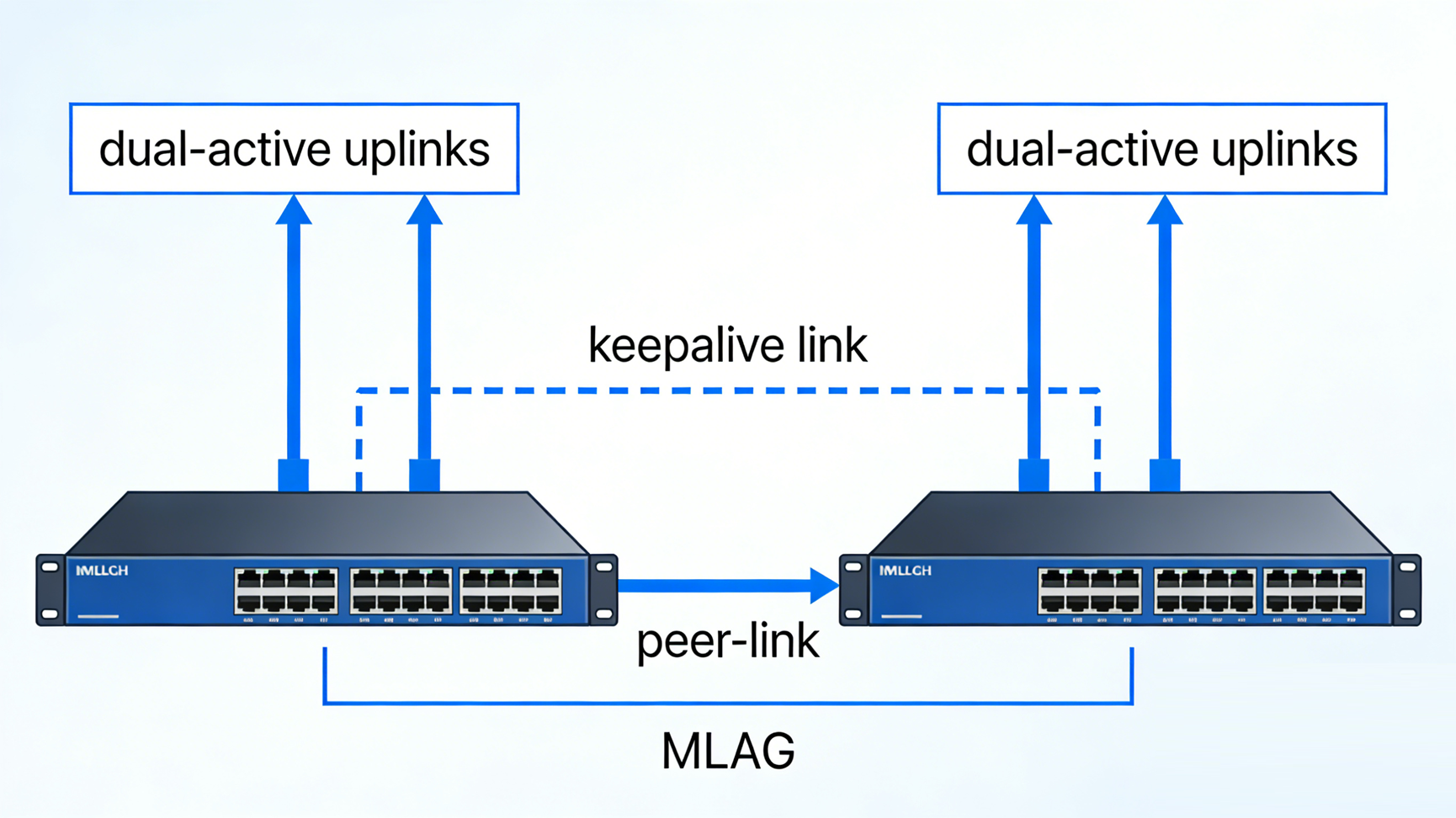
MLAG (also known as vPC for Cisco Nexus, MC-LAG for Juniper) allows two independent switches to act as a single logical switch for downstream devices (servers, access switches). Downstream devices connect via a single LACP Port-Channel, which uses both uplinks in active-active mode—eliminating STP blocking. Key components of MLAG include:
- Peer-Link: A high-speed link (40/100G) between the two MLAG switches to sync MAC tables, ARP entries, STP states, and configuration.
- Keepalive Link: A separate link to monitor peer health and prevent split-brain scenarios.
- System ID Synchronization: Both switches share the same LACP System ID and virtual MAC address, so downstream devices see them as one switch.
Unlike stacking, MLAG uses dual control planes—each switch has its own CPU, memory, and OS—so a failure in one switch doesn’t take down the entire system.
Pros of MLAG
- Superior reliability: Dual control planes mean one switch can fail without disrupting the entire network—failover is milliseconds.
- Independent upgrades: Update one switch at a time (with ISSU/Graceful Restart) while the other handles traffic—zero downtime.
- Distance flexibility: Peer-Link uses standard fiber, allowing MLAG switches to be placed across cabinets, floors, or even data centers (up to tens of kilometers).
- Cost-effective: No dedicated stacking hardware—uses existing switch ports for Peer-Link and Keepalive.
- Ideal for spine-leaf architectures: Perfect for data centers using leaf-spine designs, where leaf switches dual-connect to MLAG-enabled spine switches.
Cons of MLAG
- Higher configuration complexity: Requires strict configuration consistency between the two switches—any mismatch can cause ports to shut down.
- Dual management: While virtual IP can simplify access, you still need to monitor and maintain two separate switches.
- Peer-Link bandwidth requirement: Peer-Link must be sized to handle the total downstream bandwidth (recommended to equal or exceed) to avoid bottlenecks.
- Vendor-specific implementation: MLAG works best with same-vendor switches (e.g., Cisco vPC, Huawei M-LAG)—cross-vendor support is limited.
Best Use Cases for MLAG
MLAG is the top choice for:
- Data centers (enterprise or cloud) where zero downtime and high reliability are critical.
- Networks with switches across multiple racks, floors, or locations (distance flexibility).
- Spine-leaf architectures and large-scale enterprise networks.
- Organizations running mission-critical applications (e.g., financial services, healthcare) that can’t tolerate outages.
STP vs MLAG vs Stacking: Head-to-Head Comparison
|
Criteria
|
STP (RSTP/MSTP)
|
Switch Stacking
|
MLAG
|
|---|---|---|---|
|
Control Plane
|
Distributed (per switch)
|
Single (shared across stack)
|
Dual (independent per switch)
|
|
Bandwidth Utilization
|
Low (redundant links blocked)
|
High (active-active links)
|
High (active-active links)
|
|
Convergence Time
|
1-6s (RSTP); 30-50s (classic STP)
|
1-3ms (master failover)
|
Milliseconds (peer failover)
|
|
Management Complexity
|
Low
|
Low (single logical device)
|
High (strict configuration sync)
|
|
Distance Limitation
|
None (standard links)
|
Very limited (1-10m)
|
Flexible (tens of kilometers)
|
|
Hardware Requirements
|
None (built-in)
|
Same model/vendor + stacking cables
|
Same model/vendor (recommended)
|
|
Best For
|
SMBs, legacy networks, loop prevention
|
Access layers, same-rack switches, simplified management
|
Data centers, critical networks, spine-leaf architectures
|
How to Choose: Step-by-Step Decision Guide?
To select the right Layer 2 redundancy solution, follow these steps:
1. Assess your reliability needs: If zero downtime is critical (e.g., data centers), MLAG is the best choice. For basic redundancy (e.g., SMBs), STP or Stacking works.
2. Consider switch placement: If switches are in the same rack/closet, Stacking is efficient. If they’re across locations, MLAG or STP is better.
3. Evaluate management resources: Small IT teams should prioritize Stacking (simplified management) or STP (low maintenance). Larger teams can handle MLAG’s complexity.
4. Check budget constraints: STP is free (built-in). Stacking requires dedicated cables. MLAG uses existing ports but may need higher-speed links (40/100G) for Peer-Link.
5. Plan for scalability: For large networks (10+ switches), MLAG is more scalable than Stacking. STP works for small to medium scales but wastes bandwidth.
Final Recommendations
- Choose STP (RSTP/MSTP) if you have a small budget, mixed-vendor hardware, or a legacy network—use it as a loop-prevention safety net.
- Choose Switch Stacking if you need simplified management, same-rack switches, and high bandwidth for access layers—ideal for SMBs and enterprise access tiers.
- Choose MLAG if you need zero downtime, distance flexibility, and scalability—perfect for data centers, spine-leaf architectures, and mission-critical networks.
So, there’s no “one-size-fits-all” Layer 2 redundancy solution—STP, MLAG, and Stacking each excel in different scenarios. STP is the reliable, low-cost option for basic needs; Stacking simplifies management for same-location switches; and MLAG delivers the highest reliability and flexibility for critical networks. By assessing your reliability requirements, switch placement, management resources, and budget, you can choose the solution that keeps your network resilient, efficient, and future-proof.
Need help implementing your Layer 2 redundancy strategy? Contact our network experts to get tailored guidance for your specific infrastructure.
Post time: Feb-26-2026


